Chrome Extension · MOEIS / Attendance
TecerTools Attendance
Paste the list. Review. Fill in MOEIS.
Turn absence text from WhatsApp or Telegram into student matches you can review before the category and reason are filled in on MOEIS.
The Free flow has a weekly limit. Importing from your tecertools records is available through the PRO flow. The extension interface itself is in Malay.
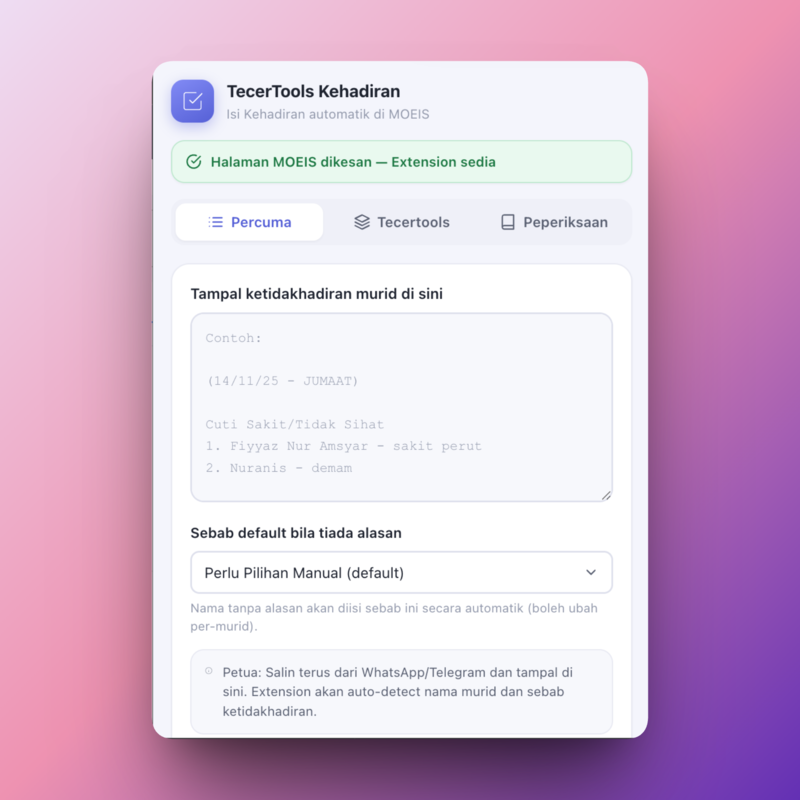
- Paste the daily text
- Uncertain matches are flagged
- Teacher reviews before filling
Three steps
From the class chat to the MOEIS form.
The extension works on top of the official system page you already have open. Every step stays visible before any data is used.
01
Paste the list
Copy the absence text from WhatsApp or Telegram into the Free tab.
02
Click Analisis (Analyse)
Only after you click Analyse is the text sent to the TecerTools server to match names against the list on the page.
03
Review and apply
Uncertain matches are flagged for you. Confirm names, categories and reasons before anything is applied on MOEIS.
Human review
Doubtful names are never guessed silently.
Uncertain matches stay visible for human review. You decide which student is correct before any absence category or reason is applied on the MOEIS page.
Product evidence
The daily flow, record import and special cases.
01
Paste & Analyse
Enter the absence text first; analysis only starts when you choose it.
02
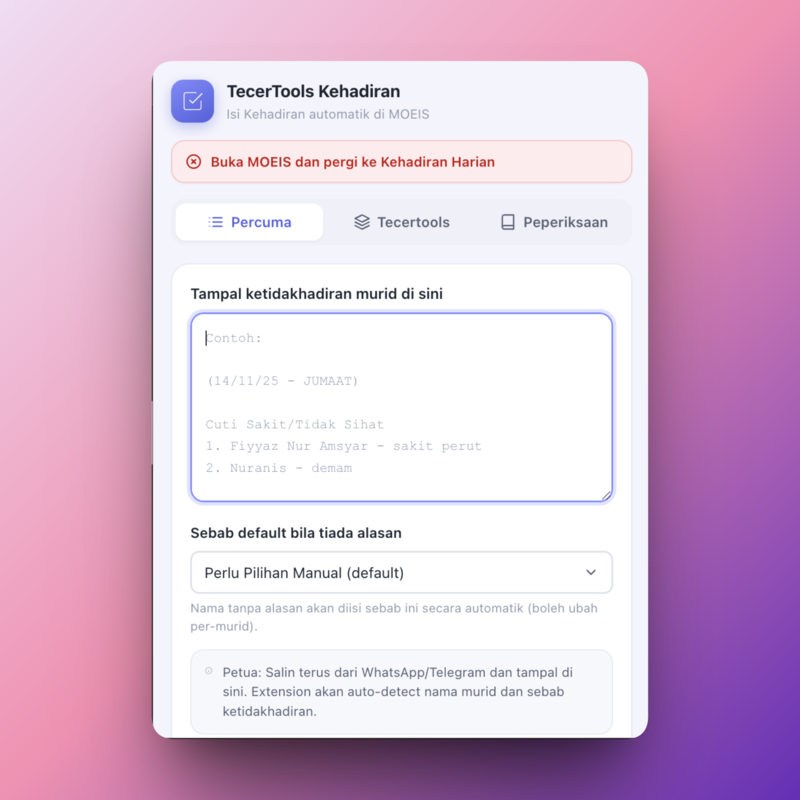
Check the MOEIS page
The extension tells you when the required working page is not open.
03
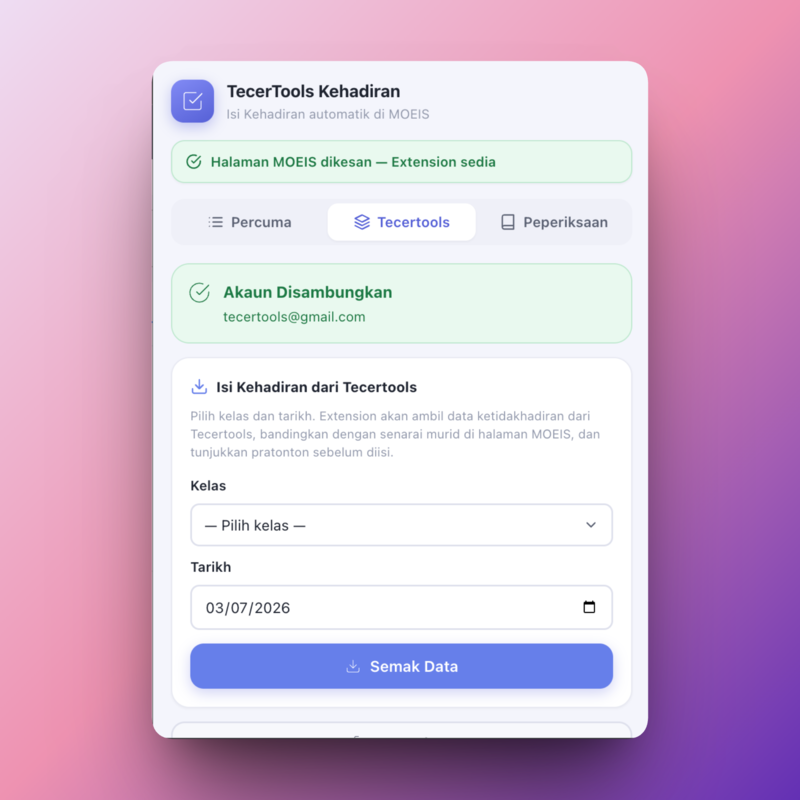
PRO import
Pull class records from your tecertools account for a repeatable workflow.
04
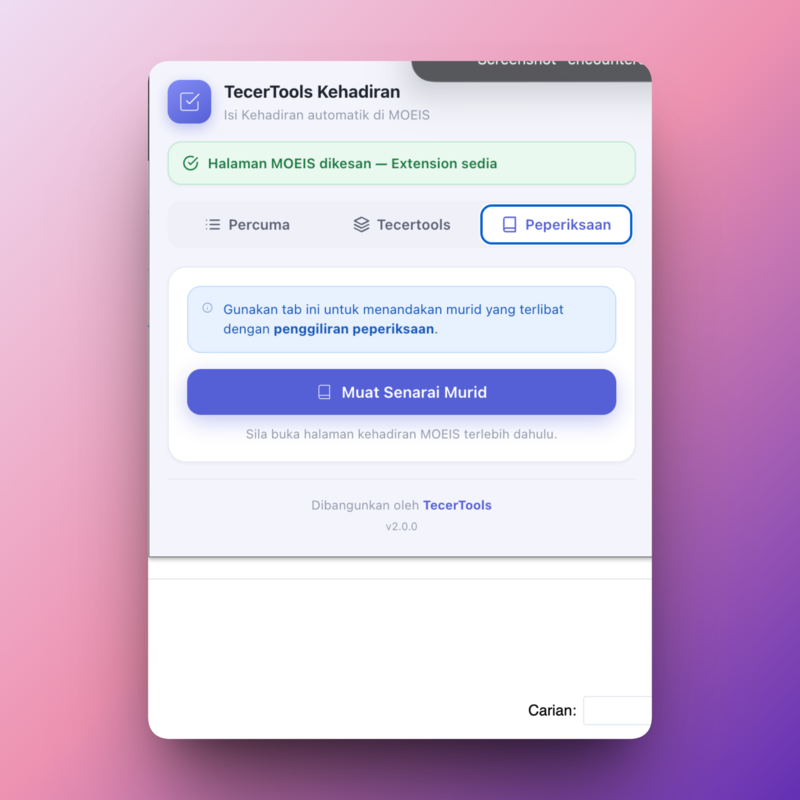
Exams & PDPR
Use the dedicated options for the relevant attendance categories.
Privacy & product status
Analysis starts only after you choose it.
When you click Analyse, the absence text is sent to the TecerTools server for name matching. The weekly-limit check does not send student data.
Read the privacy policyTecerTools Attendance is a third-party tool. It is not an official product of KPM and is not affiliated with KPM, IDME or MOEIS.
Do I need a tecertools account?
Not for the Free tab with its weekly limit. An account is needed for PRO import from your tecertools records.
Where are my students’ names sent?
After you click Analyse, the absence text is sent to the TecerTools server for name matching. Uncertain matches need your review.
Is this extension official KPM?
No. It is a third-party tool that speeds up entry on the existing MOEIS form.
Ready to install